
How to Use OnRamp
Onramp is one of the easiest ways to fund your casino account, especially if you’re new to cryptocurrency. The process is simple, secure, and designed to make crypto purchases as straightforward as any online payment. With multiple payment options and a user-friendly experience, you can complete your transaction quickly without needing extensive knowledge of cryptocurrency.
When making a deposit through Onramp, you will be purchasing a digital asset (NFT), which is a type of blockchain-based asset that holds value. Once your purchase is completed, the value of that asset is transferred directly to your casino account and credited as your deposit. While you may notice references to NFTs or cryptocurrency during the process, there are no additional steps required on your end—the funds are automatically applied to your casino balance once the transaction is successful.
For players looking for a fast, secure, and hassle-free way to deposit, Onramp offers a convenient solution that combines the benefits of cryptocurrency with a smooth and beginner-friendly experience.
What is an NFT?
An NFT (Non-Fungible Token) is a unique digital asset that exists on a blockchain. Think of it as a digital item that can hold value and be securely transferred online.
For the purpose of your casino deposit, you don’t need to worry about the technical details. The NFT simply acts as a secure digital asset that helps facilitate the transfer of value from your payment method to your casino account.
When you complete an Onramp transaction, an NFT is purchased on your behalf. The value of that NFT is then transferred directly to your casino account and credited as your deposit. You are not expected to store, manage, or trade the NFT yourself—the entire process happens automatically in the background.
Using NFTs and blockchain technology helps make transactions:
- Fast, with quick processing times
- Secure, thanks to blockchain verification
- Reliable, with transparent transaction records
- Convenient, as funds are credited directly to your casino account
In simple terms, the NFT is just the vehicle that carries the value of your purchase to your casino account, allowing you to enjoy a smooth and seamless deposit experience.
Making a Deposit
Getting started with OnRamp deposits is quick and easy:
Step 1: Log In to Your Casino Account.
Log in to your casino account using your registered email address and password. Once logged in, navigate to the Cashier or Deposit section. This is where you can view all available payment methods and begin the deposit process.
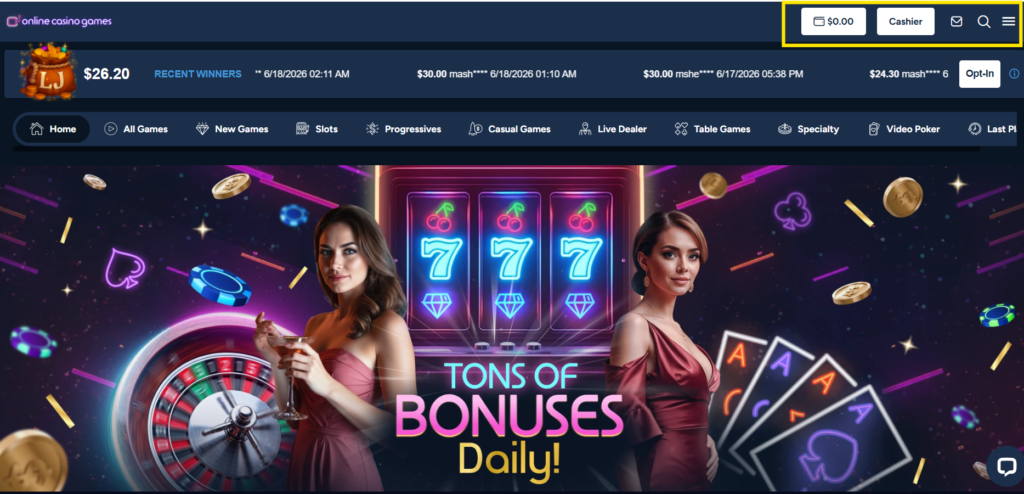
- If you do not yet have an account, you will need to complete the registration process before making a deposit.
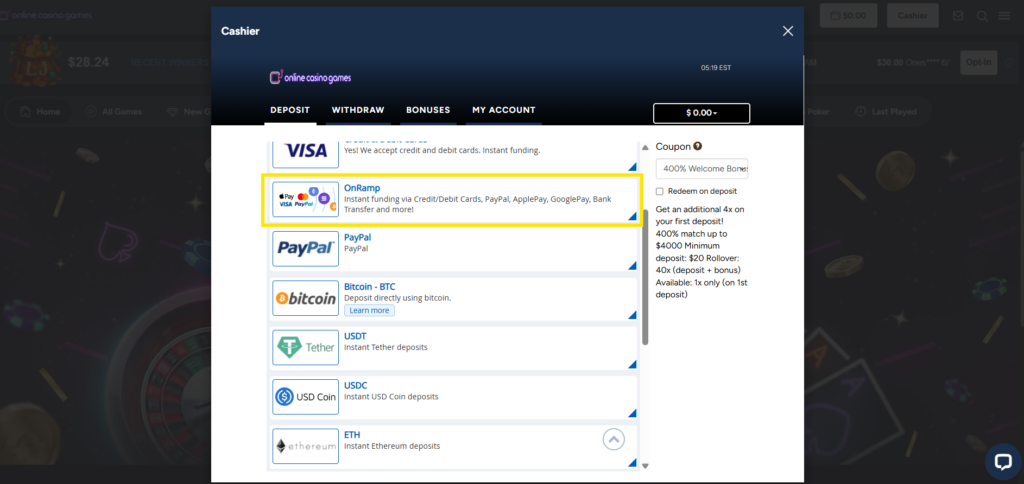
Step 2: Select Onramp as Your Deposit Method.
Choose Onramp from the list of available deposit options. Onramp is a convenient solution for players who want a secure and efficient way to fund their account through blockchain technology, without needing advanced cryptocurrency knowledge.
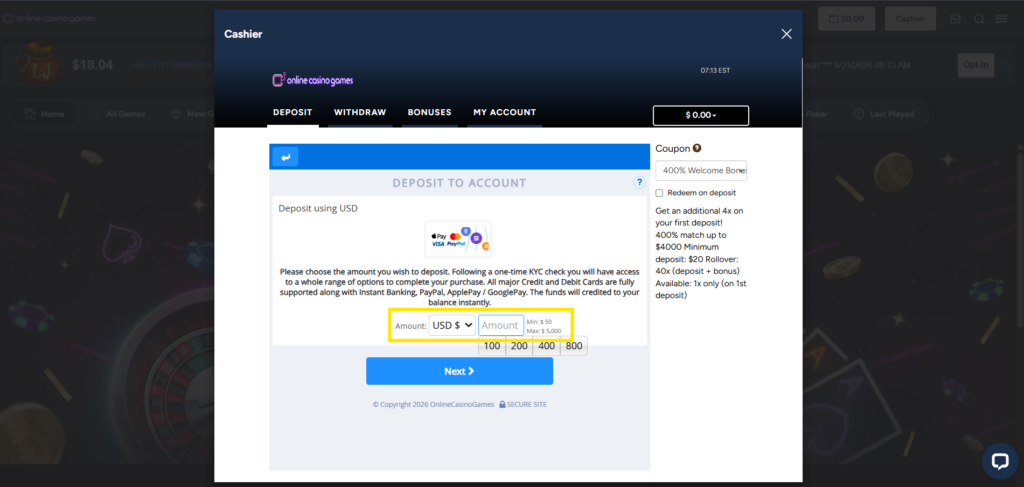
Step 3: Enter Your Deposit Amount
Enter the amount you wish to deposit into your casino account. Before proceeding, review any applicable minimum or maximum deposit limits. Once you have confirmed the amount, click Continue to move to the next step.
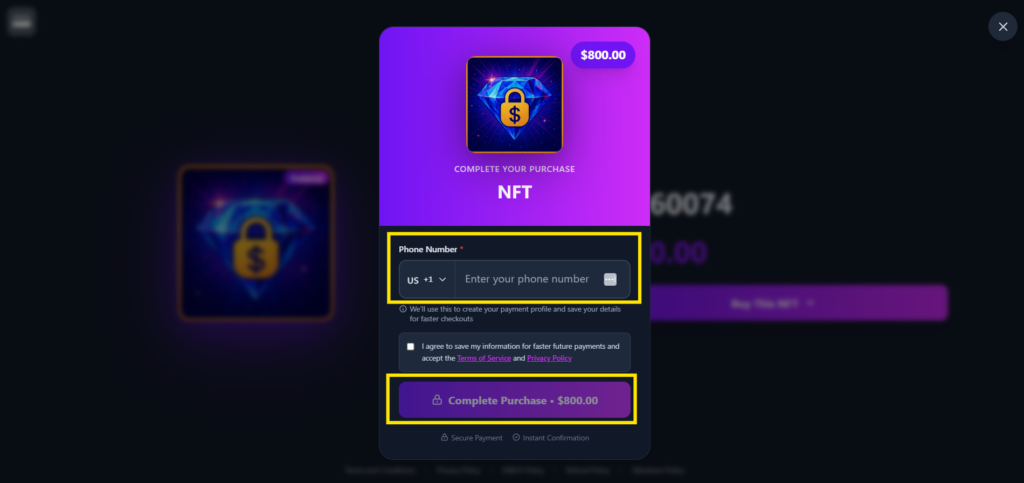
Step 4: Complete Your NFT Purchase
You will be automatically redirected to a secure NFT exchange platform to finalize your transaction. Here, you will see a summary of your purchase, including the digital asset (NFT) that will be purchased on your behalf.
Although you are technically purchasing an NFT, the process is designed solely to facilitate your casino deposit. The value of the NFT is transferred directly to your casino account, so you do not need to manage, store, or trade the NFT yourself.
Enter your mobile phone number in the field provided and click Complete Purchase to continue.
Step 5: Choose Your Preferred Payment Method
On the payment screen, select the payment method you would like to use. Available options may include:
- Credit or Debit Card
- Apple Pay or Google Pay
Choose the option that is most convenient for you and click Continue.
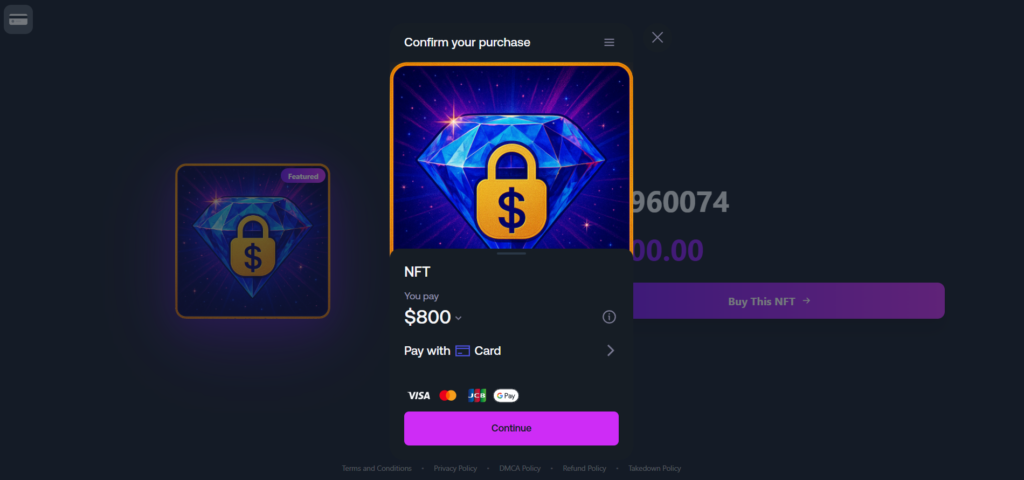
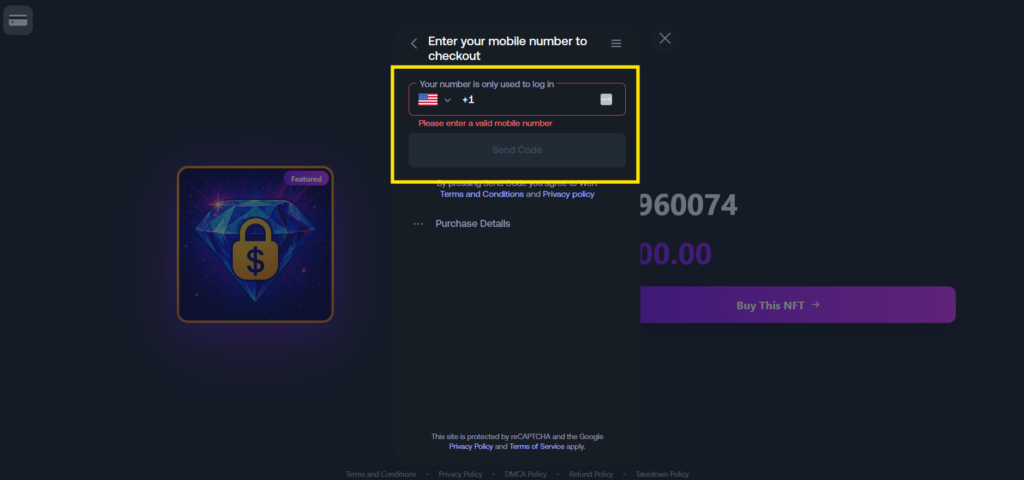
Step 6: Add your phone number before checkout.
Before your payment is processed, you will be prompted to confirm or enter your mobile phone number. This is required to send you a one-time password (OTP) for security verification. Make sure the number is correct before tapping “Send Code“.
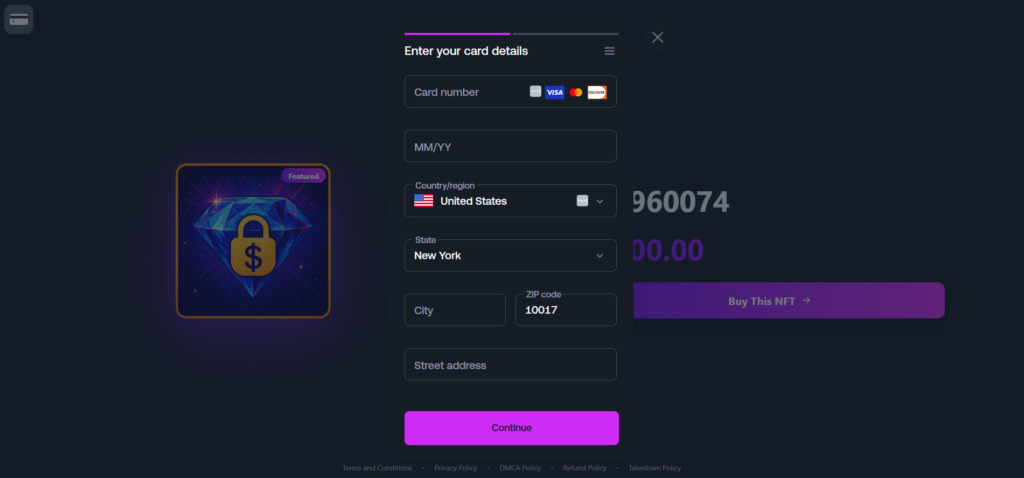
Step 7: Enter Your Payment Details
Once your phone number has been verified, you will be prompted to enter the details of your selected payment method. Review all information carefully before submitting your payment. The transaction will be processed securely through Onramp’s payment system.
Step 8: Payment authorized.
Once your OTP is verified and payment is authorized, you will be automatically redirected back to the casino website within seconds. Your funds will be immediately available — start playing your favorite games, claim promotions, or explore new titles right away.


