How to Use Paypal
PayPal is one of the easiest and most trusted ways to fund your casino account. With fast transactions, strong security measures, and a simple checkout process, PayPal allows you to make deposits quickly without sharing your banking details directly. It’s a convenient option for players who want a secure, reliable, and hassle-free way to start playing right away.
Note: When you deposit with PayPal, your payment is automatically converted to Litecoin (LTC) behind the scenes and sent directly to the casino — funding your account almost instantly.
You may notice it looks like you’re buying crypto. That’s normal. The Litecoin goes straight to the casino, not to a personal wallet. No extra steps needed.
Why Your PayPal Deposit is Processed Through Litecoin
Traditional bank payments and PayPal transfers can take time to clear — and nobody wants to wait when they’re ready to play. That’s why we use Litecoin as the bridge.
Litecoin is one of the world’s fastest cryptocurrencies, settling transactions in under 2.5 minutes. By instantly converting your PayPal payment into Litecoin and routing it directly to the casino, we eliminate the delays of traditional banking entirely — your funds arrive faster, more securely, and with no manual processing required.
Making a Deposit
Getting started with Paypal deposits is quick and easy:
Step 1: Log in to your casino account using your registered email address and password and navigate to the Cashier or Deposit section.

- If you do not yet have an account, you will need to complete the registration process before making a deposit.
Note: The Cashier is where you can manage deposits, withdrawals, and view your transaction history.
Step 2: Select PayPal as your preferred deposit method.
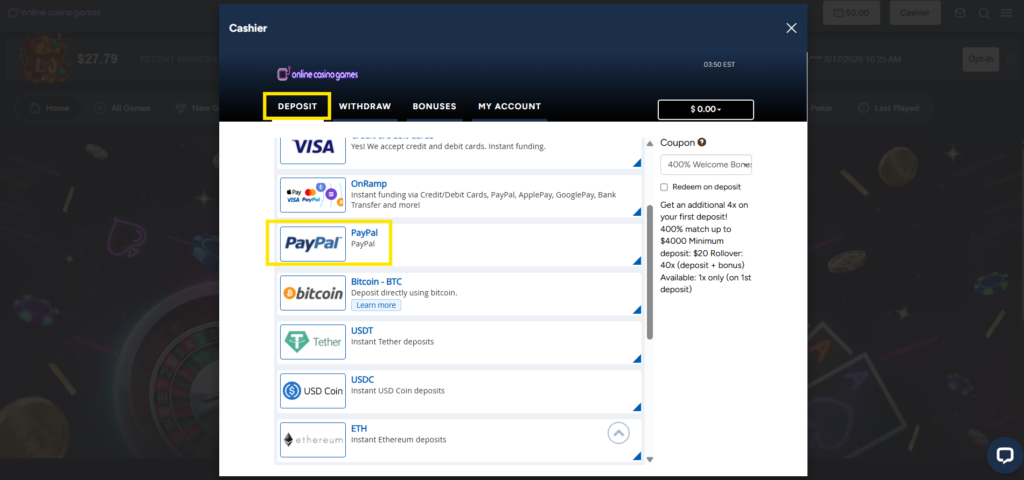
- PayPal offers a fast, secure, and convenient way to fund your account without sharing your banking details directly with the casino.
Step 3: Enter the amount you wish to deposit. Be sure to check any minimum or maximum deposit limits that may apply.
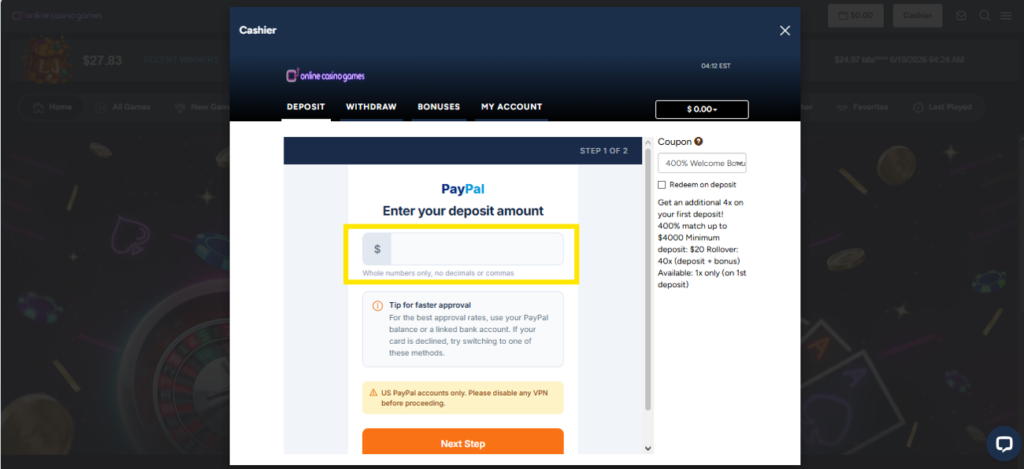
Step 4: Click Next Step to proceed. You will be securely redirected to the PayPal website.
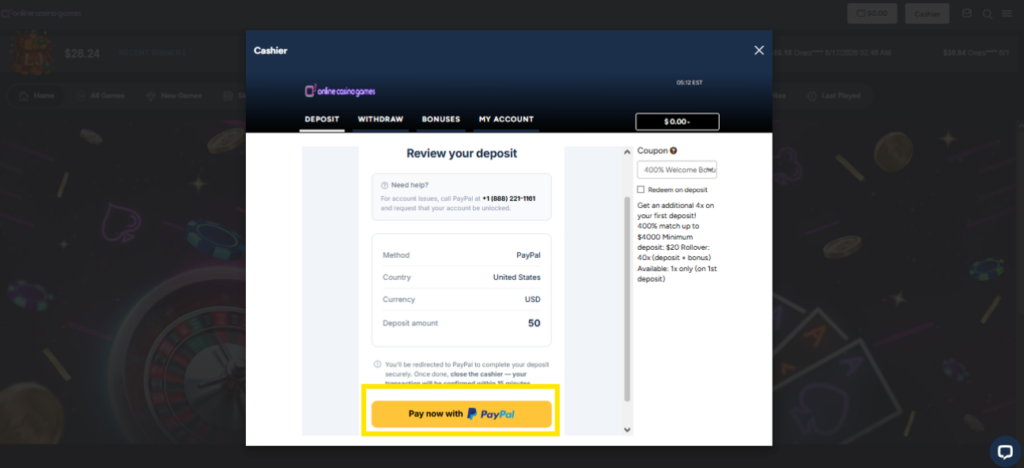
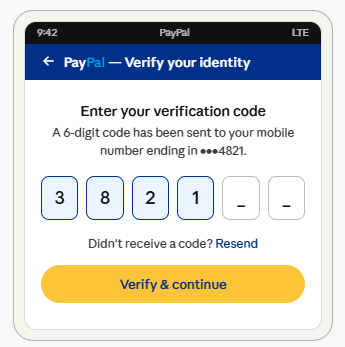
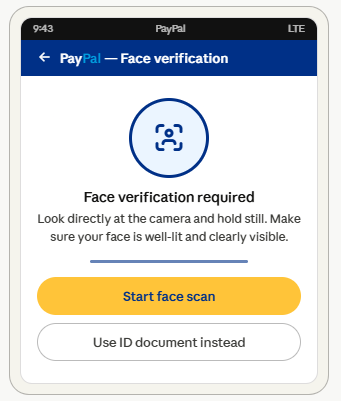
Step 5: Log in to your PayPal account and review the payment details carefully. Confirm the transaction. PayPal may ask you to complete additional security verification, depending on your account settings.
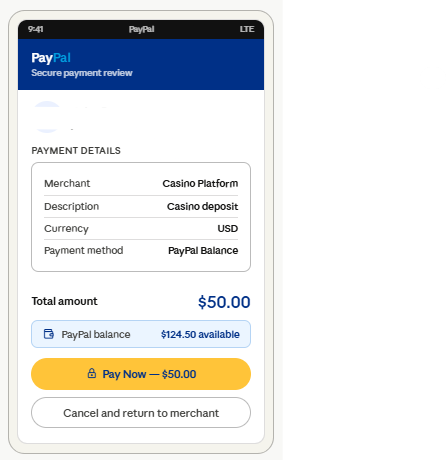
Note: Certain payment methods require extra security steps to ensure your transactions are processed safely. Here are the most common ones:
Two – Factor authentication
Transaction confirmation
ID or face verification
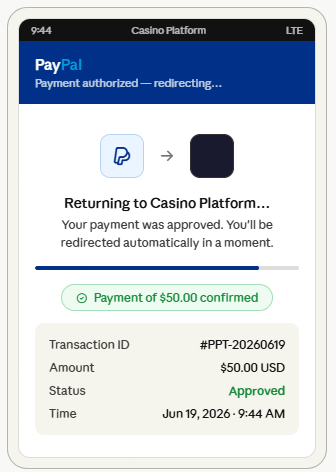
Step 7: After your payment has been successfully authorized, PayPal will automatically redirect you back to the casino website. This process usually takes only a few seconds. You can immediately use your available funds to play your favorite casino games, participate in promotions, or explore new gaming options.