Recommended Cryptocurrency Wallets for U.S. Players
To ensure a smooth, secure, and reliable cryptocurrency experience, we recommend the following trusted platforms. These providers are widely used by U.S. customers and make it easy to purchase, manage, and transfer cryptocurrency for online gaming transactions.
Coinbase
Coinbase is one of the most popular cryptocurrency platforms in the United States and is often the first choice for new crypto users.
Why we recommend Coinbase:
- Easy-to-use platform designed for beginners.
- Quick account setup and verification process.
- Supports bank accounts, debit cards, and other convenient payment methods.
- Strong security measures and regulatory compliance.
- Fast cryptocurrency purchases and transfers.
- Excellent educational resources for users new to cryptocurrency.
How to purchase Cryptocurrencies using Coinbase?
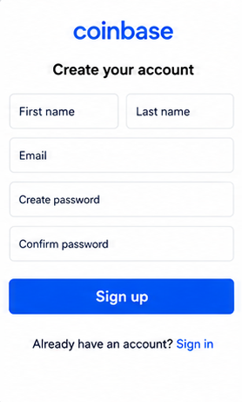
Step 1: Create an Account. Start by signing up on your chosen platform using a valid email address. You will be asked to create a secure password and may need to verify your email. For security and compliance purposes, most platforms also require identity verification (KYC), which may include submitting a valid ID and basic personal information. This step helps protect your account and ensures safe transactions.
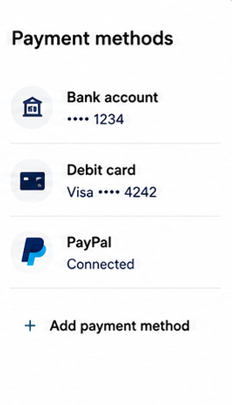
Step 2: Add payment method. Once your account is set up, go to the wallet settings and add a payment method. You can typically link a bank account, debit card, or PayPal, depending on what Coinbase supports. This payment method will be used to purchase cryptocurrency and should be verified before making any transactions.
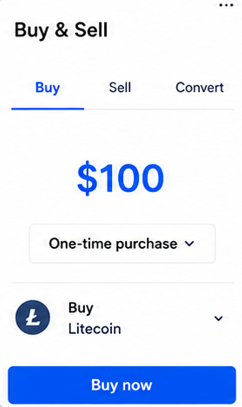
Step 3: Buy Crypto. Select the cryptocurrency you want to purchase, such as Bitcoin, Litecoin,or Ethereum. Enter the amount you wish to spend or the quantity of crypto you want to acquire. Review the exchange rate, fees, and total cost before confirming, then click Buy Now.
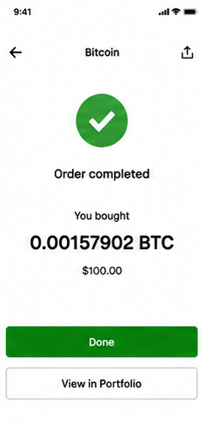
Step 4: Purchase Complete. Once the transaction is successfully processed, your cryptocurrency will appear in your account wallet. You can view your balance, track price changes, or transfer your crypto to another wallet or use it for your casino deposits. Processing time is usually instant or within a few minutes.
Crypto.com
Crypto.com is a comprehensive cryptocurrency platform that combines ease of use with advanced features.
Why we recommend Crypto.com:
- Supports a wide variety of cryptocurrencies.
- User-friendly mobile application.
- Multiple funding options available.
- Competitive transaction fees.
- Fast crypto purchases and transfers.
- Popular among both beginners and experienced users.
How to purchase Cryptocurrencies using Crypto.com?
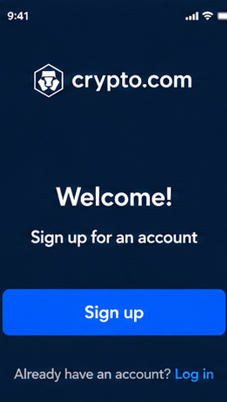
Step 1: Create an Account. Start by signing up on your chosen platform using a valid email address. You will be asked to create a secure password and may need to verify your email. For security and compliance purposes, most platforms also require identity verification (KYC), which may include submitting a valid ID and basic personal information. This step helps protect your account and ensures safe transactions.
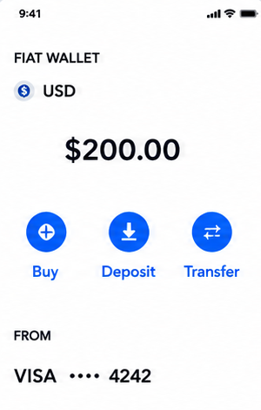
Step 2: Add payment method. Once your account has been verified, set up a payment method. Crypto.com supports several funding options, including bank accounts, debit cards, credit cards, and in some regions, digital payment methods such as Apple Pay or Google Pay. Select the option that is most convenient for you and follow the on-screen instructions to complete the setup
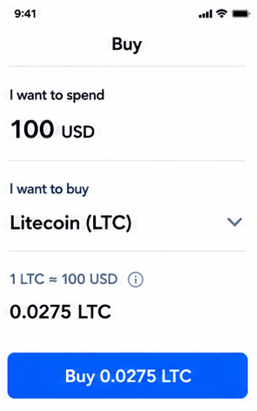
Step 3: Buy Crypto. Select the cryptocurrency you want to purchase, such as Bitcoin, Litecoin,or Ethereum. Enter the amount you wish to spend or the quantity of crypto you want to acquire. Review the exchange rate, fees, and total cost before confirming, then click Buy (amount).
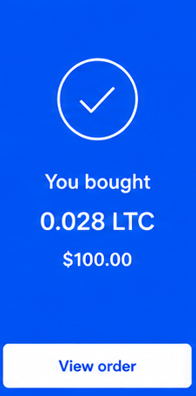
Step 4: Purchase Complete. Once the transaction is successfully processed, your cryptocurrency will appear in your account wallet. You can view your balance, track price changes, or transfer your crypto to another wallet or use it for your casino deposits. Processing time is usually instant or within a few minutes
Kraken
Kraken has built a strong reputation for security, reliability, and transparency.
Why we recommend Kraken:
- Industry-leading security standards.
- Trusted by millions of users worldwide.
- Competitive fees for buying and transferring cryptocurrency.
- Excellent customer support and educational resources.
- Supports a wide selection of cryptocurrencies.
How to purchase Cryptocurrencies using Kraken?
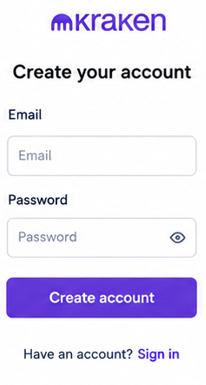
Step 1: Create an Account. Start by signing up on your chosen platform using a valid email address. You will be asked to create a secure password and may need to verify your email. For security and compliance purposes, most platforms also require identity verification (KYC), which may include submitting a valid ID and basic personal information. This step helps protect your account and ensures safe transactions.
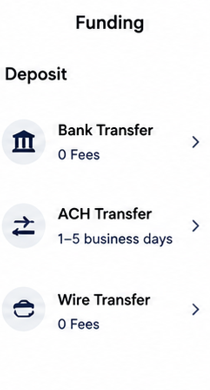
Step 2: Add a Payment Method. After your account has been verified, navigate to the funding section and link your preferred payment method. Kraken supports bank transfers and, in some regions, debit card purchases. Follow the instructions provided to complete the setup.
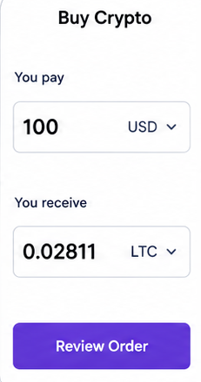
Step 3: Select Buy Crypto. From the dashboard, click Buy Crypto. Kraken provides a simple purchase interface that allows you to buy cryptocurrency without needing advanced trading knowledge. Select the cryptocurrency you want to purchase, such as Bitcoin, Litecoin,or Ethereum. Enter the amount you wish to spend or the quantity of crypto you want to acquire.
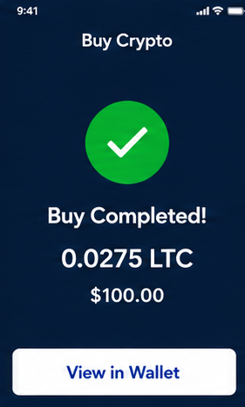
Step 4: View Your Cryptocurrency. After the transaction is completed, your cryptocurrency will appear in your Kraken account balance. You can hold it in your Kraken wallet, transfer it to another wallet, or use it for supported transactions.
Gemini
Gemini is a U.S.-based cryptocurrency platform known for its focus on security and regulatory compliance.
Why we recommend Gemini:
- Strong security and account protection features.
- Regulated and compliant within the United States.
- Simple and intuitive user interface.
- Reliable funding and withdrawal options.
- Ideal for users who value transparency and safety.
How to purchase Cryptocurrencies using Gemini?
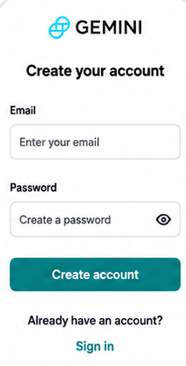
Step 1: Create a Gemini Account. Download the Gemini app or visit the Gemini website and sign up using your email address. Complete the identity verification process by submitting the required information and documentation. Verification helps protect your account and comply with financial regulations.
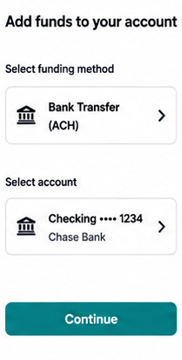
Step 2: Link a Payment Method. Navigate to the payment settings and link a bank account, debit card, or other supported funding source. Gemini will guide you through the verification process for your selected payment method.
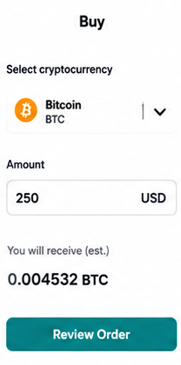
Step 3: Access the Buy Screen. From the Gemini dashboard, select Buy or Buy Crypto. This section allows you to quickly purchase cryptocurrency using your available account balance or linked payment method. Select the cryptocurrency you wish to purchase, such as Bitcoin (BTC), Ethereum (ETH), Litecoin (LTC), or another supported asset available on Gemini. Input the amount you would like to spend or the amount of cryptocurrency you wish to buy. Gemini will automatically calculate the estimated amount of cryptocurrency you will receive.
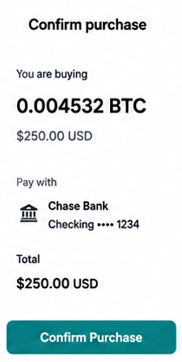
Step 4: Review and Confirm Your Order. Review the transaction summary, including pricing, fees, and payment details. If everything looks correct, click Confirm Purchase to complete the transaction.
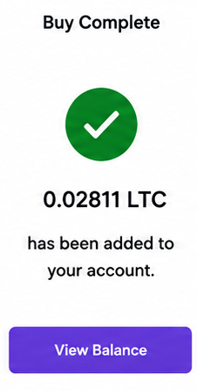
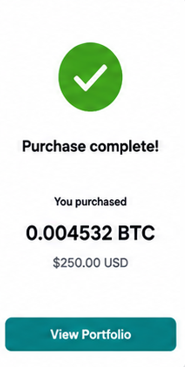
Step 5: Access Your Cryptocurrency. Once your purchase has been processed, the cryptocurrency will be available in your Gemini account. You can monitor your balance, send crypto to another wallet, or use it for supported transactions.
Robinhood
Robinhood offers a familiar and streamlined experience for users who already invest through its platform.
Why we recommend Robinhood:
- Easy-to-use mobile and web applications.
- Quick cryptocurrency purchases.
- Simple account setup process.
- Convenient for users who already have a Robinhood account.
- Supports cryptocurrency transfers for eligible assets.
How to purchase Cryptocurrencies using Robinhood?
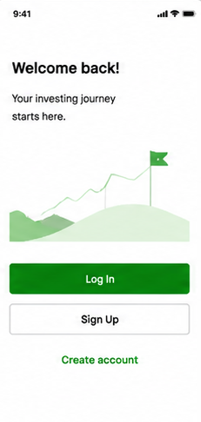
Step 1: Create a Robinhood Account. Download the Robinhood app or visit the Robinhood website and create an account. Complete the registration process and verify your identity by providing the requested personal information and identification documents.
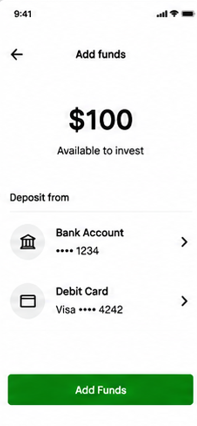
Step 2: Link Your Bank Account. Connect your bank account to Robinhood by following the prompts within the app. Linking a bank account allows you to transfer funds and purchase cryptocurrency directly from your Robinhood account. Transfer money from your linked bank account into your Robinhood account. Depending on your account status and funding method, some deposits may be available for immediate use.
Step 3: Navigate to Cryptocurrency Trading. From the Robinhood app or website, select Crypto from the available investment options. This section displays supported cryptocurrencies and their current market prices. Choose the cryptocurrency you want to purchase, such as Bitcoin (BTC), Ethereum (ETH), Litecoin (LTC), or another supported digital asset.
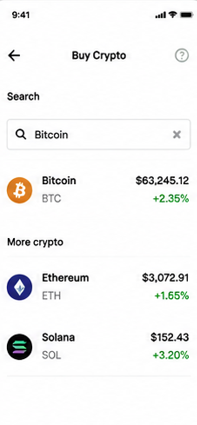
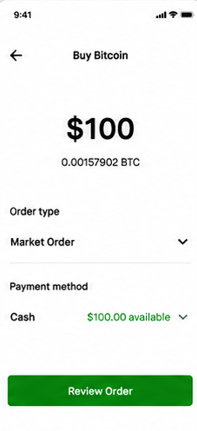
Step 4: Enter Your Purchase Amount. Tap Buy and enter the amount you would like to invest. Robinhood will show the estimated quantity of cryptocurrency you will receive based on the current market price.
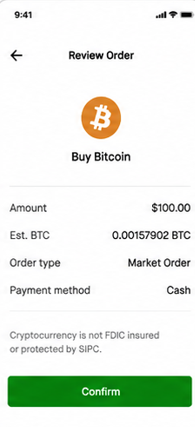
Step 5: Review and Submit Your Order. Review the order details, including the purchase amount and estimated crypto quantity. Once you are satisfied with the information displayed, submit the order to complete the purchase
Step 6: View Your Crypto Balance. After the order is executed, your cryptocurrency will appear in your Robinhood account. You can track its value, buy additional cryptocurrency, or transfer eligible assets if supported by your account.